Construct 3 Event Sheet Width Helper
A downloadable tool for Windows
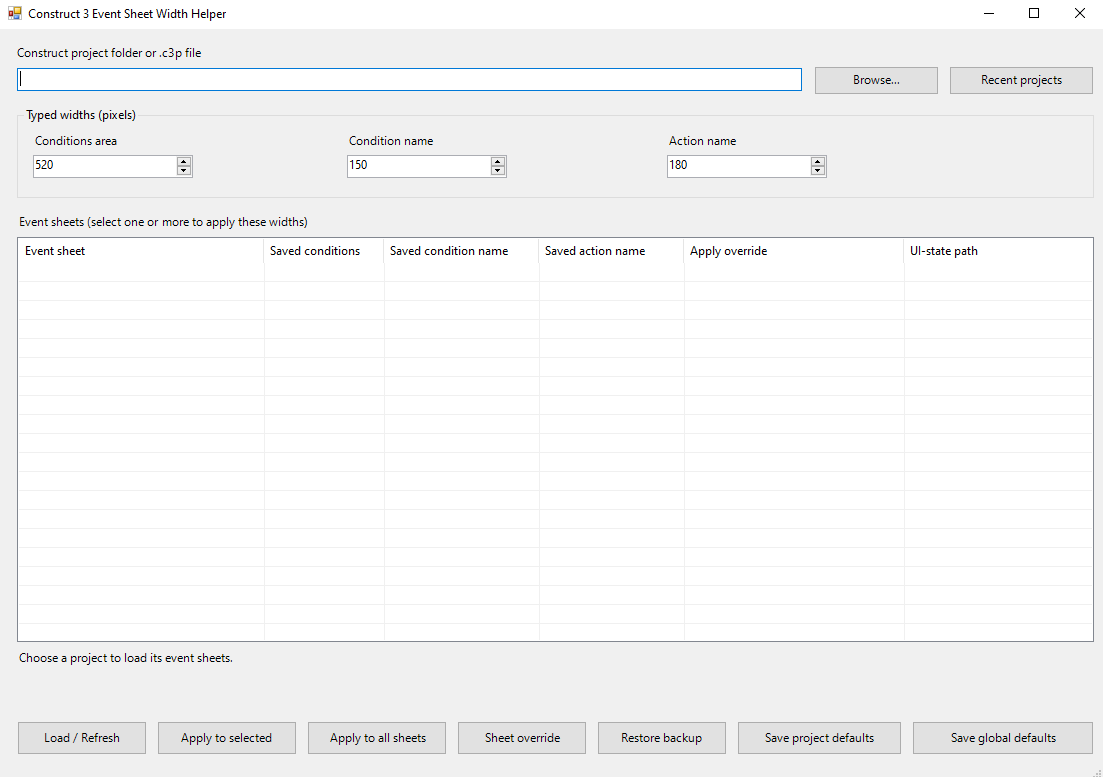
Set Construct 3 event sheet column widths by typing pixel values instead of dragging dividers on every sheet.
Features
• Apply widths to selected event sheets or all sheets.
• Save global defaults and project-specific defaults.
• Set per-sheet overrides, then let other sheets inherit the project defaults.
• Reopen recent projects and refresh the sheet list.
• Preview changes and create a timestamped backup before applying.
• Restore the latest helper backup after confirmation.
How to use
Choose a Construct project folder containing project.c3proj or a single-file .c3p project. Enter the Conditions area, Condition name, and Action name widths, then apply to selected sheets or all sheets. Save project defaults or global defaults for later.
Safety and compatibility
Save and close the project in Construct 3 before applying or restoring. The helper edits only event-sheet .uistate.json width fields; event logic and game assets are untouched. It does not close or reopen Construct for you. A backup is created before each apply. A sheet without saved UI-state width fields is skipped. The helper uses the currently observed Construct project format, so recheck it after major Construct updates.
Release contents
Version 1.1.0 for Windows. The ZIP includes the standalone app, source code, build script, README, changelog, and MIT license. The included profiles.json starts clean and stores your settings beside the app. This independent community utility is not affiliated with Scirra Ltd.
Download
Install instructions
Extract the ZIP file, then run Event Sheet Width Helper.exe. Keep profiles.json beside the executable so your saved defaults and project presets persist. No batch file or installer is needed.
Leave a comment
Log in with itch.io to leave a comment.